
To amend a cost code type:
-
Navigate to Setup → Cost Codes.
-
Identify the cost code in the list that needs amending and select the 3 dots/Edit.
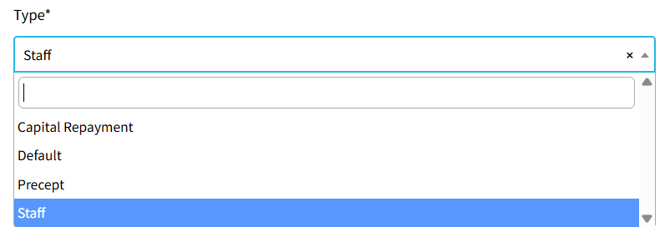
- Select the Type drop-down and choose the applicable type:
- Precept - allocate to precept income code (populates Line 2)
- Staff - allocate to staff cost codes including net salaries, Tax/NI and pension contributions (populates Line 4)
- Capital Repayment - allocate to loan repayment code (populates Line 5)
- Default - all other payments (Line 6) and other receipts (Line 3)
- Select Save to update.
You can re-run the annual return to see the updated figures.
💡 If you're working in Income & Expenditure, you must first run 'Calculate'.