What are Exclusive Rights of Burial within Parish and Town Councils
Exclusive Rights of Burial are commonly issued by cemeteries upon receiving an application. They provide individuals with the assurance of being buried in a specific private grave, often alongside a spouse or other family members. The person to whom the right is granted becomes the 'grave owner', which indicates ownership of the burial rights within the specified area, not the land itself.
The owner of an Exclusive Right of Burial can solely decide who else can be buried in the grave and what memorials may be placed on it. It is crucial to establish this right before or at the time of burial. Cemetery regulations state that the maximum period for a grant is 100 years, but shorter periods are typically recommended for easier management of the burial ground.
Exclusive Rights of Burial within Scribe Accounts
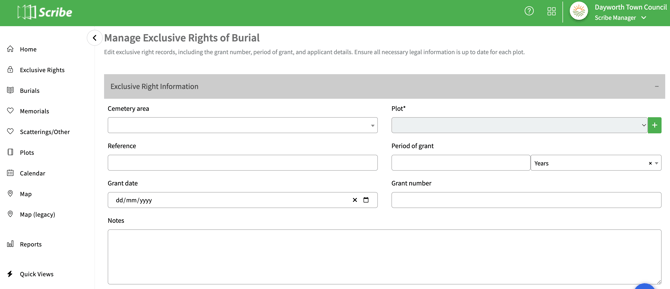
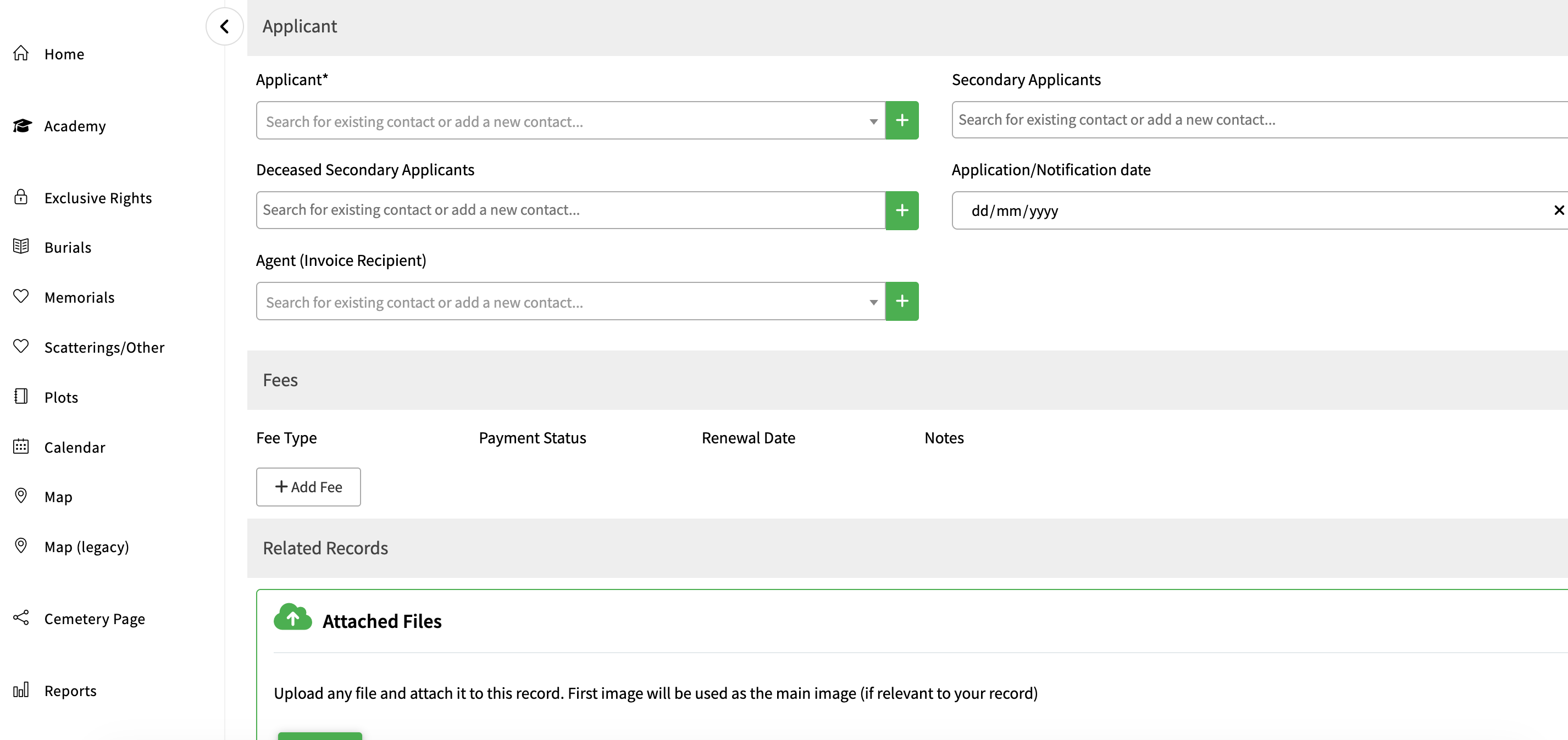
To start, navigate to Exclusive Rights in the menu. Click on the + button to add a new record and fill in the form as completely as possible. Certain fields are mandatory to comply with cemetery regulations and must be completed before you can save the record. These primarily include the applicant's name and address, the grant period, the grant number, the date granted, and the fee. Multiple secondary applicants can be added
The grant number will automatically follow on from the previous grant number added to Scribe, this can be over written if required.
Add a payment status to reflect if the relevant fee has been paid.
You also have the option to link any relevant documents and upload necessary files.
How to Generate a Deed of Grant
From the completed record, you can create a Deed of Grant or other relevant documents. To do this, click on the three dots and the end of the exclusive right record and select 'Generate Notice'. Select the appropriate notice from the Template Type Dropdown.
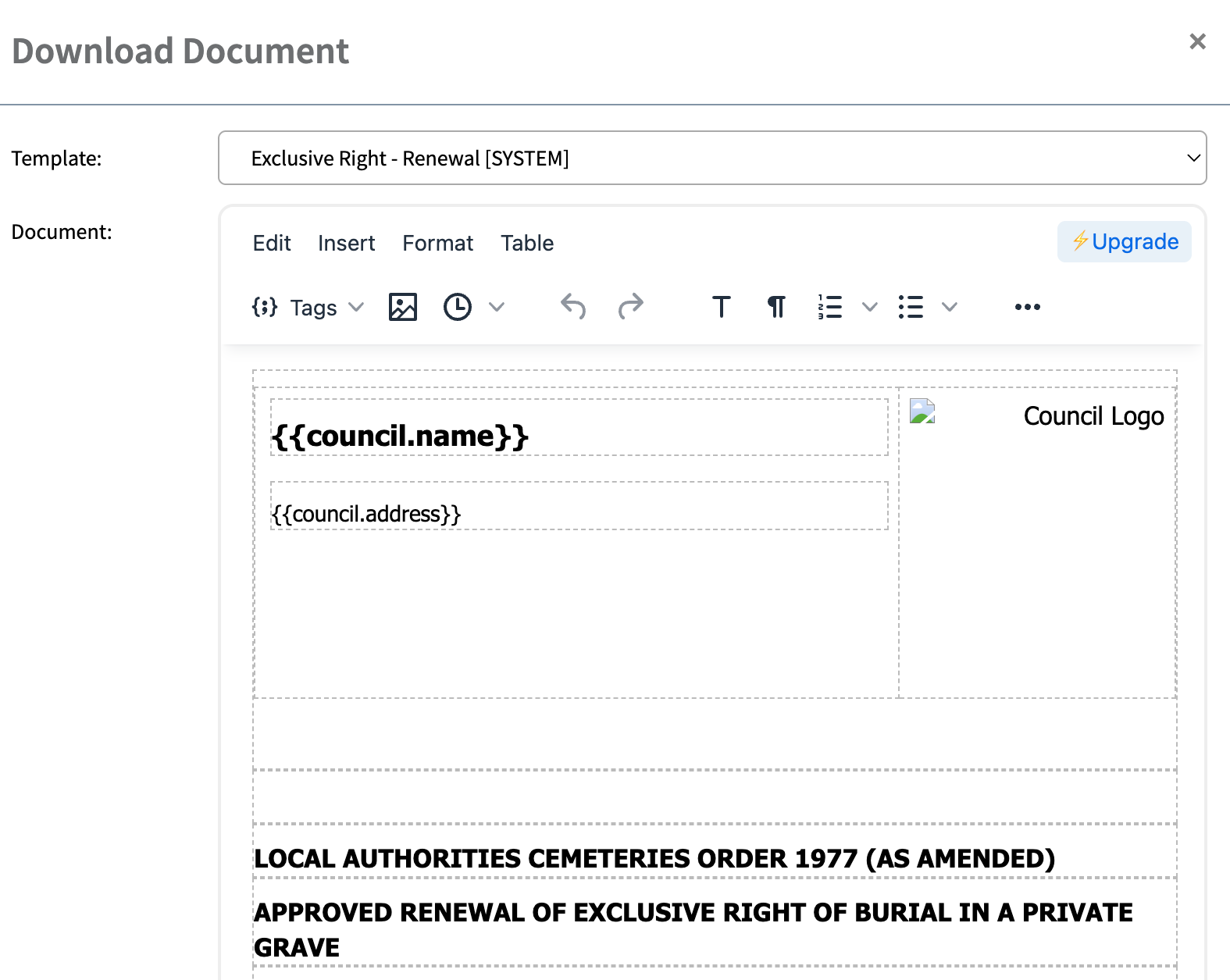
Select export to PDF and the document will be saved to your PC or Laptop.
To make changes to the Template please see Templates.
How to Access Additional Features
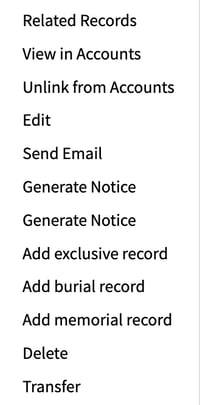
From the three dots and the end of the exclusive right record, you can view related records, create an invoice (send to accounts), view an invoice or unlink from accounts, send an email, edit, transfer or delete the record and add a new exclusive, burial or memorial record.
This tool is designed to make it easier for you to manage Exclusive Rights of Burial within your parish or town council efficiently and accurately.